Bricksforge ≤ 3.1.8.9 – Actively Exploited Unauthenticated File Upload to RCE
CVE-2026-85097 is an actively exploited, unauthenticated arbitrary file upload vulnerability in Bricksforge 3.1.8.9 and earlier. Update to 3.1.8.10 or later immediately.

Attackers are actively exploiting a critical unauthenticated arbitrary file upload vulnerability in the Bricksforge plugin for WordPress. Tracked as CVE-2026-85097, the flaw can lead directly to remote code execution. Patchstack first observed exploitation on October 7, 2026 at 21:47 UTC. Sites must update to Bricksforge 3.1.8.10 or later immediately.
Vulnerability summary
| Product | Bricksforge |
|---|---|
| Affected versions | 3.1.8.9 and earlier |
| Fixed version | 3.1.8.10 |
| CVE | CVE-2026-85097 |
| Severity | Critical, CVSS 9.8 in Wordfence Intelligence and 10.0 in Patchstack |
| Attack class | Unauthenticated arbitrary file upload leading to PHP code execution |
| Authentication required | No |
| Exploitation status | Active exploitation observed in the wild |
How the vulnerability works
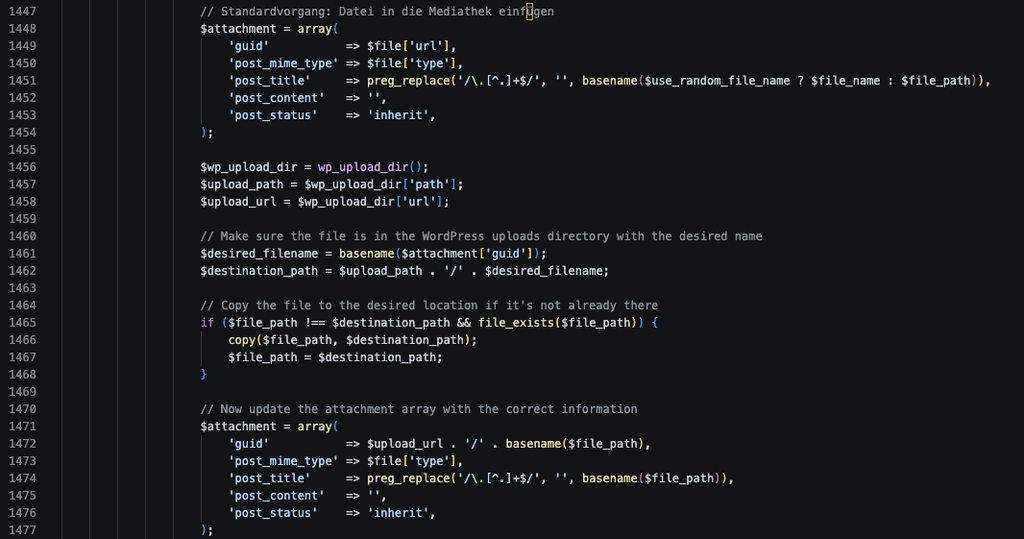
The vulnerable path is in Bricksforge Pro Forms file handling. The plugin validates a file’s MIME type during the initial upload, but later trusts client-controlled metadata when processing a form submission. In particular, affected versions do not safely validate the url field inside temporaryFileUploads.
An attacker can use an image file that also contains PHP code, pass the initial image validation, and then manipulate the later form metadata so the validated temporary file is written to a PHP-capable destination. If the web server executes PHP in that uploads path, the attacker gains arbitrary server-side code execution.
The vendor states that the issue affects every site with Pro Forms active, including sites whose forms do not contain upload fields.
Active exploitation details
Patchstack reports coordinated and automated exploitation against vulnerable sites. Most observed attempts targeted:
POST /wp-json/bricksforge/v1/form_submitA smaller number used /wp-admin/admin-ajax.php with the bricksforge_form_submit action. Attackers also called the unauthenticated bricksforge_regenerate_nonce action before uploading and submitting files.
Observed campaigns tested multiple PHP-related extensions, capitalization variants, and encoded extensions. Blocking one filename or one source IP is therefore not a reliable mitigation.
Indicators of compromise
- Requests to
/wp-json/bricksforge/v1/form_submitcontainingtemporaryFileUploads. - Calls to
bricksforge_regenerate_noncefollowed by uploads and form submissions. - Image paths ending in
.gifor.pngpaired with a PHP-related destination URL. - Unexpected PHP files under
/wp-content/uploads/bricksforge/tmp/or other uploads directories. - Files matching
login_admin_*.phpin dated WordPress upload directories. - HTTP requests to newly created PHP files under
/wp-content/uploads/.
Immediate remediation
- Update Bricksforge to 3.1.8.10 or later immediately. The vendor’s current 4.x branch also includes the security fix.
- If an immediate update is impossible, deactivate Bricksforge or disable Pro Forms until the patched release is installed.
- Purge page, object, and CDN caches after updating.
- Inspect the uploads directory and web access logs for the indicators above. Updating does not remove an existing web shell.
- If suspicious PHP files or unauthorized changes are found, isolate the site, preserve logs, replace WordPress core and plugin files from trusted packages, rotate administrator and hosting credentials, rotate salts, and invalidate active sessions.
Verify the installed version
Check the installed Bricksforge version with WP-CLI:
wp plugin get bricksforge --field=versionVersion 3.1.8.9 or earlier is vulnerable. After updating, confirm that the version is 3.1.8.10 or later:
wp plugin get bricksforge --field=version
wp plugin status bricksforge
Temporary server hardening
This defense-in-depth rule does not replace the plugin update. WordPress uploads directories should not execute PHP. On Apache, place an appropriate rule in the uploads directory or virtual-host configuration:
<FilesMatch "\.(php|php5|php7|php8|phtml|pht|phtm|phps)$">
    Require all denied
</FilesMatch>
For nginx, add an equivalent rule in the server block and test the configuration before reloading:
location ~* ^/wp-content/uploads/.*\.(php|php5|php7|php8|phtml|pht|phtm|phps)$ {
    deny all;
}
Managed-hosting customers should ask the host to confirm that PHP execution is disabled in uploads and to review filesystem and web logs for compromise.
Post-update verification
- Confirm Bricksforge reports version 3.1.8.10 or later.
- Verify that legitimate Bricksforge forms still submit normally.
- Review recently modified files in
wp-content/uploads, especially the Bricksforge temporary directory. - Check for newly created administrator accounts, modified active plugins, unfamiliar scheduled tasks, and unexpected outbound connections.
- Continue monitoring requests to the affected endpoint because exploitation is active.
Sources
- Patchstack active exploitation advisory
- Patchstack vulnerability database record
- Wordfence Intelligence record
- Bricksforge vendor changelog
- CVE-2026-85097 record
WPDeeply did not discover this vulnerability. This advisory summarizes the public Patchstack disclosure, Wordfence Intelligence record, and vendor remediation.
